
Email Triage Agent
The shared inbox sorts and actions itself.
An Email Triage Agent reads a shared operational inbox, works out what each message actually is, and either actions it in the underlying system or routes it to the person who can. The inbox stops being a queue somebody has to work through.
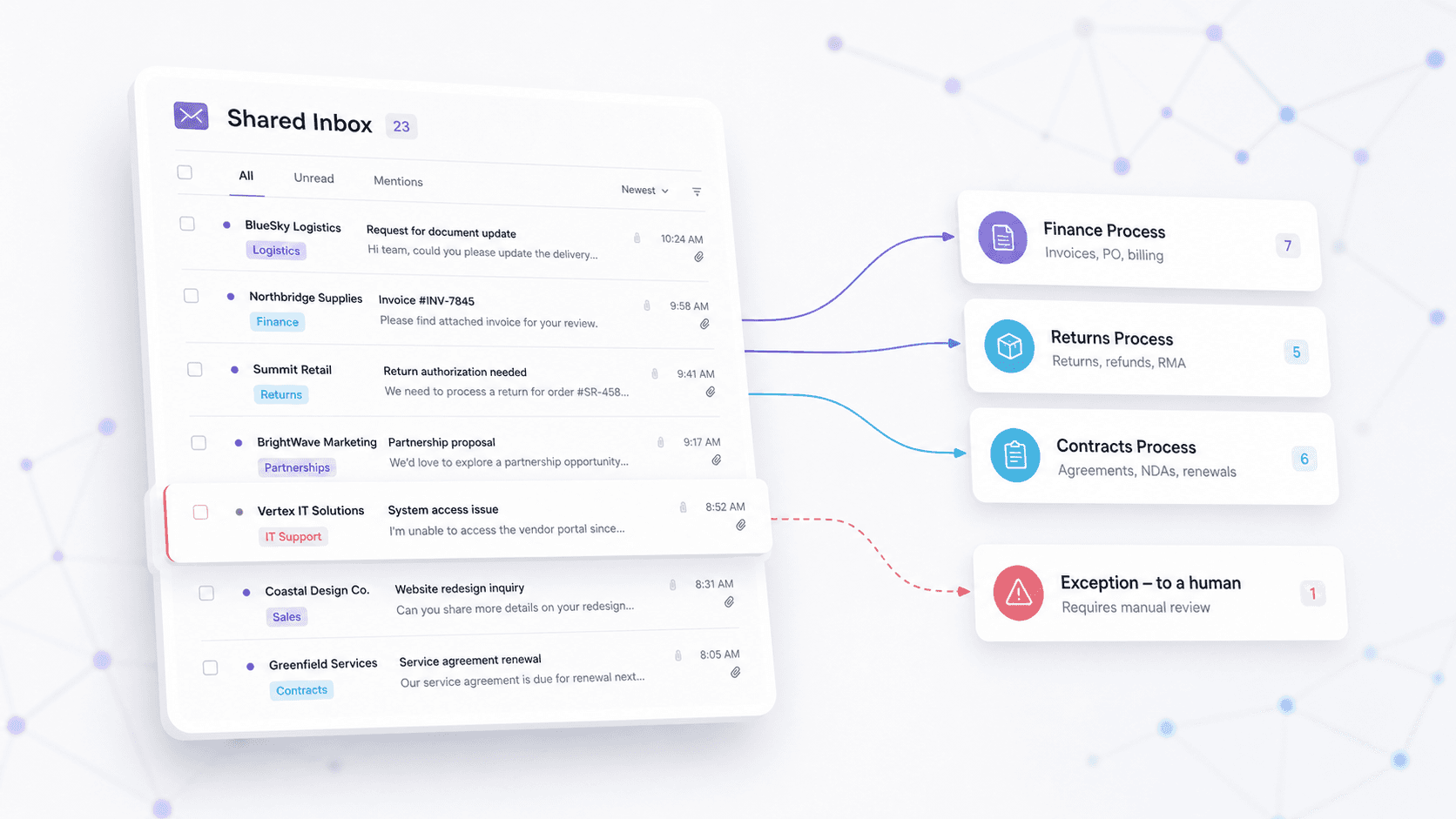
The job to be done
“Our shared inbox gets hundreds of requests a week. Someone reads every one just to work out where it should go.”
Before
A person whose job is largely deciding what other people's job is.
After
Requests categorised and actioned on arrival, with only the genuine exceptions surfacing.
How it works
- 1
Reads the inbox
Takes each incoming message in the shared operational inbox.
- 2
Works out what it is
Categorises the request against the operational process it belongs to.
- 3
Actions it
Makes the change in the underlying system through a purpose-built connector.
- 4
Routes the exceptions
Anything ambiguous goes to a human, with the context already gathered.
Where this one was built
Scoped and in build for the leasing operation of an ASX-listed banking group.
Questions
What does an Email Triage Agent do?
It reads a shared operational inbox, works out what each message actually is, and either actions it in the underlying system or routes it to the person who can. Only the genuine exceptions surface to a human.
Can it action requests in our own systems?
Yes, through a purpose-built connector to the line-of-business system. That is usually the difference between an agent that classifies email and an agent that actually does the work.
Want this one running in your business?
We will scope it against your systems, build it, and teach your team to build the next one themselves.
.png&w=96&q=75&dpl=dpl_C4hMsrFjgZaVnuhJpbBN2ZsRJRXU)